This is both a reflection on governance, a tutorial, and some limited reflection on how job insecurity shapes behavior.
ESRI has said they’re going to shut off Classic Story Maps for some time. DLINQ ended up becoming more involved in managing our ESRI stuff due to reductions in staffing in the Geography department and changes in ESRI’s contract patterns. We haven’t really had any serious culling of accounts or content ever and we’ve been using it since the dawn of time.1
Email sent Nov. 21, 2025
I sent the email below out hoping to notify at least most people who had Classic Story Map content but being sure I’d miss some.
Hey folks,
As best I can tell, the sunsetting was announced in 2019 when the new StoryMaps came out. I only found out about it because one of the DLINQ instructional designers (Thanks [human name]!) saw the banner yesterday when she logged into StoryMaps and mentioned it in Slack.
Obviously, this is not how anyone wants this to work.
Short term
Transition effort
If we can identify key content and want to spend some time/energy, there is a Python notebook conversion tool that I didn’t see initially. If there’s a need, I can help with this.Long term
Management
ESRI is a single contract with a fairly large number of tools and 2,216 online accounts (many no longer associated with Middlebury). The contract has shifted from free and unlimited to paid and limited.We need to establish which tools we are supporting, in what ways, and who is doing what. That includes user and content management. I know that [human name] is not a direct replacement for [another human name] and, even if he were, we have additional details that need clarification.
I’ve sent an invitation based on Outlook calendars for Dec. 8 at 1:30PM Eastern to [names of several humans] Happy to add (or drop) anyone else. I’ll get some reports and an agenda set and shared ahead of that date.
If you have any questions or concerns, please let me know.
Thanks,
Tom2
We are working hard at a tighter association between instructors and the tools they use. The proxy of just figuring the Geography Department uses ESRI is not great (environmental studies, anthropology, etc.) and is getting worse as we encourage interdisciplinary use of Story Maps and some of the other web-based ESRI tools. We’re also somewhat hampered by a very restrictive policy about emailing everyone. So a future task is an opt-in email updates list based on selected tools and/or concepts. To further complicate things, students may be creating this content and the instructors may or may not really be tuned in on which tool the students are using.
Yesterday’s help desk email
We did end up with a “Classic Story Maps is broken email” yesterday. The email indicated that the story map was both essential for teaching and a documentation of Middlebury’s history that should be in the library’s special collections. Turns out this project was created by a student who graduated in 2019. There was no obvious connection to the instructor (who was not in the Geography department). So it’s a great example of how many loopholes exist that you have to think through when looking at content and account retention policies.
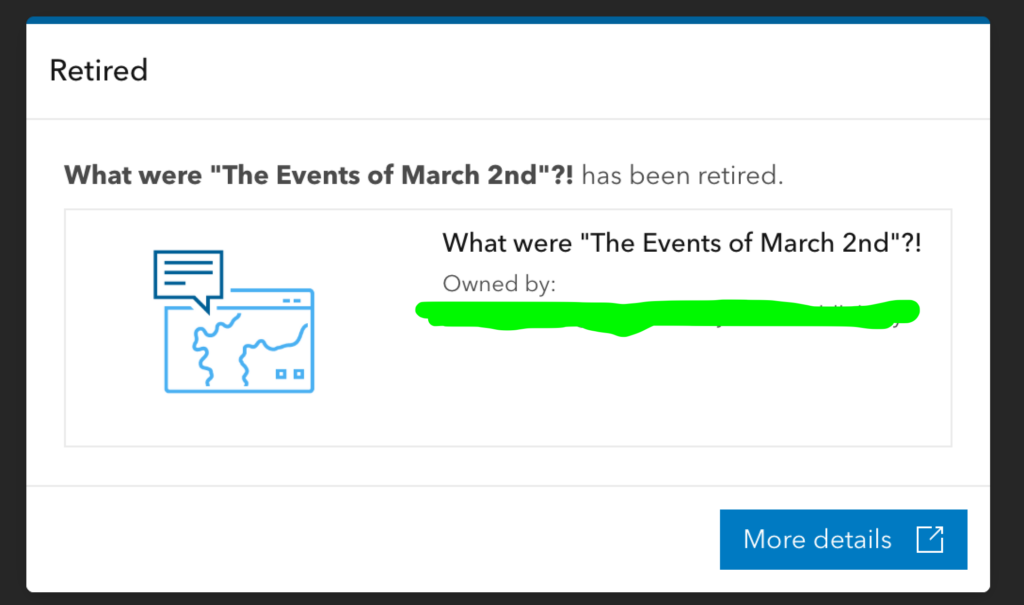
Now I could (and did) blame ESRI for making the change. There was, after all, nothing we could do about it. It was tempting to just let it go there. When you go to the link, this is the message you see and, even as a super admin, I couldn’t see anything else.
Resurrection
As I looked at our options, I came across Managing the classic Esri Story Maps retirement in your organization (3-27-2025). Scanning down I spotted the green text saying:
UPDATE (2/25/26): To create an archive after retirement, you will need to self-host the application code to view a classic story. See “Can I view classic Esri Story Maps after retirement,” below.
That sounded promising. It led me to How to view your classic Esri Story Maps after retirement (3-27-2025).
From the URL to the map we wanted to rescue, I could see it was a cascade Story Map.
https://middlebury.maps.arcgis.com/apps/Cascade/index.html?appid=999999999999999
So now I’m in GitHub at the storymap-cascade repo.
Download the repo (local dev is probably the best option).
Navigate to that directory in terminal and run the following commands.
npm install
npm install -g grunt-cli
grunt
You will see many, many security warnings. I updated what I could without breaking things. Since we are only going to put /deploy/ on a public server (rather than the whole build code), I feel ok about it but you could do all this locally if it makes you nervous.3 I will warn you that I really struggled with a decent way to archive this. I tried lots of things (httrack, puppeteer, a bunch of other things I forgot) but a PDF was about the best I could do (and even that was not great).
Anyway, now you should see a folder named deploy.
In that folder is index.html (below). Right now, mine is hardcoded with the story ID. I need to look at this stuff again and see if I can make it love-all/serve-all.
  //---------------------------------
      //     Application configuration
      //---------------------------------
      var configOptions = {
        // Enter an application ID created through the Cascade builder
        appid: "THE_STORYMAPID_from_theOld_URL",// DUPLICATE this file with other IDs for more stories or
        // Optionally, to secure Cascade's access, if the story item is private or to use the builder
        //    configure an ArcGIS OAuth application ID (example: 6gyOg377fLUhUk6f)
        // When specified, sign-in is mandatory even if your story is public
        oAuthAppId: "*", //NO SIGN IN
        // Optionally, to use the appid URL parameter, configure authorizedOwners to reference
        //    members whose stories can be viewed by this storytelling app.
        // To authorize stories owned by...
        //    specific members: use ["member"] or ["member1", "member2", ...]
        //    any ArcGIS member: use ["*"]
        //    any member of one or more organizations: use ["[orgID]"] or ["[orgID1]", "[orgID2]", ...] (Note the use of brackets in this case, e.g., ["[nzS0F0zdNLvs7nc8]"])
        //        You can get your orgID by going to My Organization and clicking Find...The most viewed items in the organization.
        //        Your orgID will be shown in the search box.
        authorizedOwners: ["*"]//ANYTHING
      };
Now you can test this locally.
grunt server
And you should see it at http://localhost:8080/index.html?appid=ACTUALAPPIDHERE
Reflection
The GitHub directions look better in hindsight. It took me a while to get this right and then I see more questions after trying to write it up.4
Now whether this was a good use of my time is debatable. Working at an institution where a single faculty’s voice has always had a lot of power, where you have a new president (and provost soon), where they just shut down a campus (with a chunk of people losing jobs), where you just had a round of voluntary force reductions, etc., etc. . . . can make deciding to make as many individual faculty members as happy as possible a very reasonable choice. That may not be good for the institution as a whole but it’s also been a pretty consistent historical orientation. I also like to make people happy and I like to solve technical problems. Plus, I never like when a company decides to shut something down (even if I understand the necessity). What you don’t want is to be driven to spend time making individuals happy and be blamed for not achieving tough cultural change around governance, structure, and process.
1 Our initial contract was in contention at various points and I’m pretty sure the photocopy I was looking at was written on vellum. This scraped animal skin kind, not the ebooks platform or the AI.
2 Hey! That’s me!
3 See someone smarter than me for actual security advice.
4 Yea for blogging!