
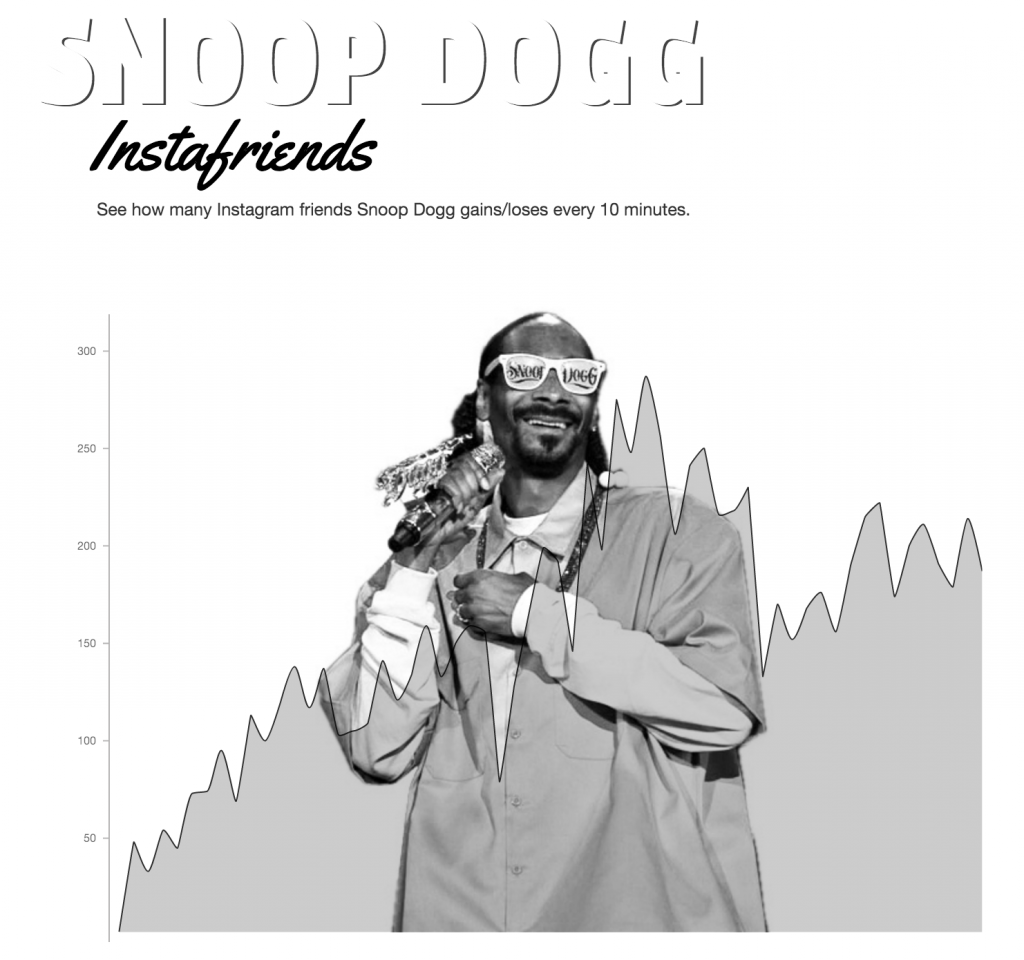
A while back I was messing with getting Instagram data without bothering with their API because I think their most recent API changes are really annoying. I’m also a bit fascinated with the scale of numbers in social media right now. I opted to look at Snoop Dogg’s Instagram followers and plot their change very 10 minutes. Click here or on the image to see the live chart.
Get the Instagram Data w/o the API & Put it in the Database
It turns out that each Instagram page has an embedded JSON file with the data I wanted. You can see it if you view the source of any page. This Stackoverflow post was kind enough to point it out and you see regex rearing it’s head again.
I started out with my standard process of using Google Sheets as the database but decided I’d try MySQL because I wanted to try getting the JSON ought more cleanly. The chunk below grabs the data and puts it in the database.
$raw = file_get_contents('https://www.instagram.com/' . $user); //gets instagram data
	preg_match('/\"followed_by\"\:\{\"count\"\:([0-9]+)/', $raw, $m);
	preg_match('/\"follows\"\:\{\"count\"\:([0-9]+)/', $raw, $f);
	$followers = intval($m[1]);
	$following = intval($f[1]);

$sql = "INSERT INTO snoopdata (followers, following, follower_change)
VALUES ($followers, $following, $followerChange)";
} //puts it in the database

$oldFollowers = "SELECT * FROM snoopdata ORDER BY time DESC limit 1"; //gets the old follower count for the math
$result = $conn->query($oldFollowers);
$row = $result->fetch_assoc();
        $oldFollowers = $row["followers"];

$followerChange = $followers - intval($oldFollowers); //gets the difference between the old and new counts
So that gets us the stuff we want in a nice little box on the Internet. I did try to do some fancy mysql stuff to avoid entering the change in followers as an additional field but I failed in enough ways that I just opted to proceed with the uglier method.
Get the JSON Out
$sql = "SELECT * FROM snoopdata ORDER BY time DESC LIMIT 60"; //gets the last 60 entries
$result = $conn->query($sql);

$rows = array();
while($r = mysqli_fetch_assoc($result)) {
    $rows[] = $r;
}
print json_encode($rows, JSON_NUMERIC_CHECK); //spits it out as JSON
Make it Pretty
I opted to go with MetricsGraphics which, given the right json feed, makes it pretty easy to create a nice graph with no fuss.
        d3.json('http://bionicteaching.com/snoop/snoopdbjson.php', function(data) {
        MG.data_graphic({
        data: data,
        width: 800,
        height: 600,
        right: 40,
        x_axis: false,
        color: '#000',
        interpolate: 'basic',
        target: document.getElementById('snoop_data'),
        x_accessor: "key",
        y_accessor: "follower_change",
        interpolate: "monotone",
        min_y_from_data: true,
       // min_y_from_data: true
    });
});
could this still work? i think instagram just change their api recently.
It’s not API based so it still works although it broke for a bit when they changed some other stuff. You can see it working here.